
Our Features
G Map Extractor gives you fast, clean, and structured business data from Google Maps so you can build leads, audit markets, and power your workflows without manual work.
What G Map Extractor can do for you
One tool, multiple use cases – from lead generation to local SEO, customer insight, and competitive research.
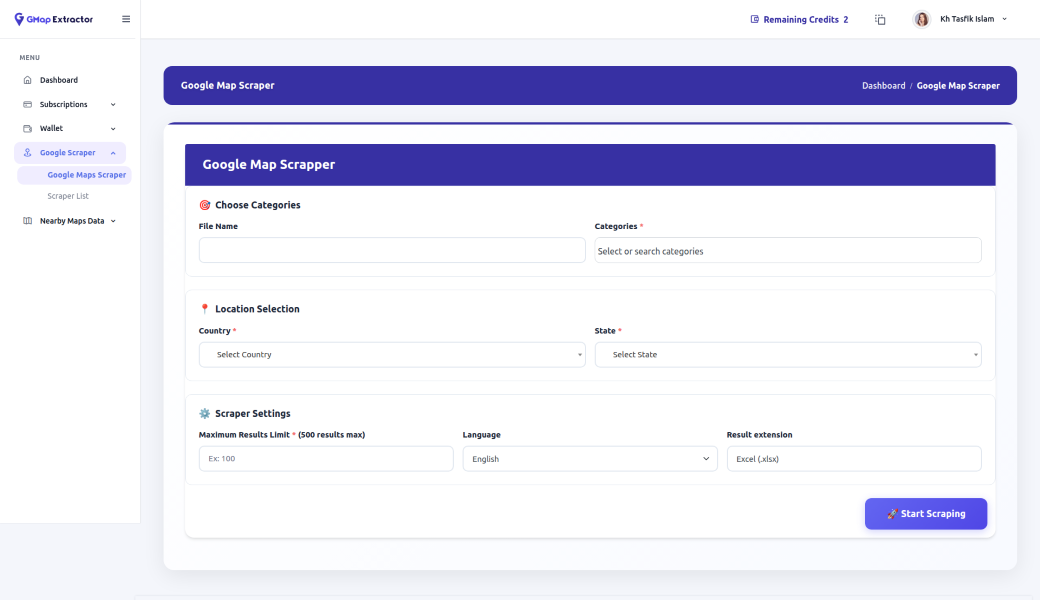
Category G Map Scraper
Scrape complete business lists from any Google Maps category—dentists, gyms, cafés, salons, or niche services—across any city or region. Perfect for building targeted lead lists for outreach, prospecting, or local SEO campaigns in just a few minutes.
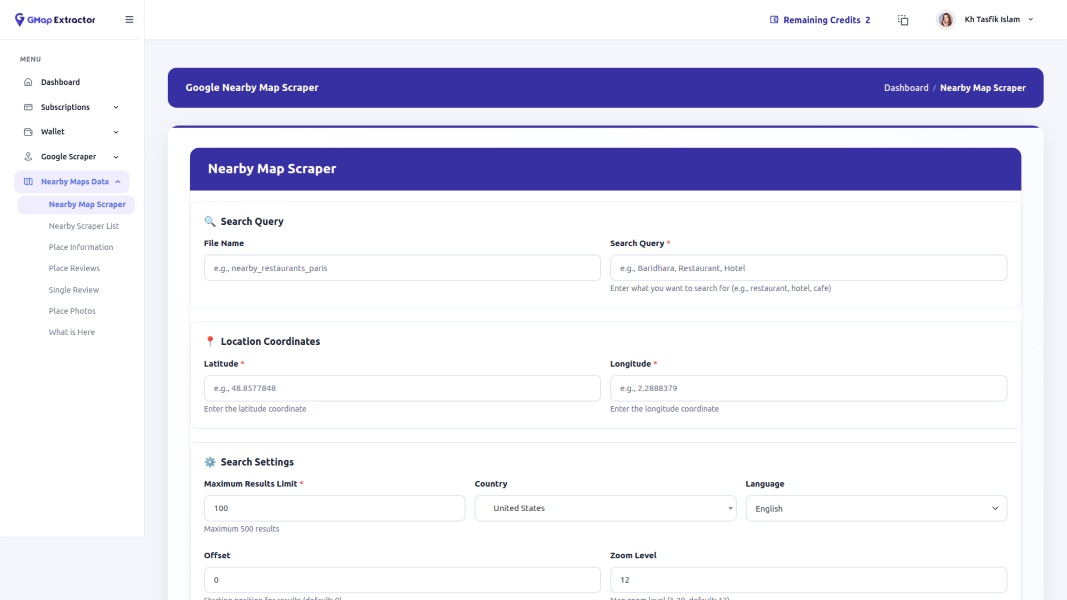
Nearby G Map Scraper
Quickly extract nearby businesses around a specific address or point on the map. Ideal for hyperlocal marketing, door-to-door outreach, franchise expansion planning, and understanding which competitors or potential partners are clustered around a given location or store.
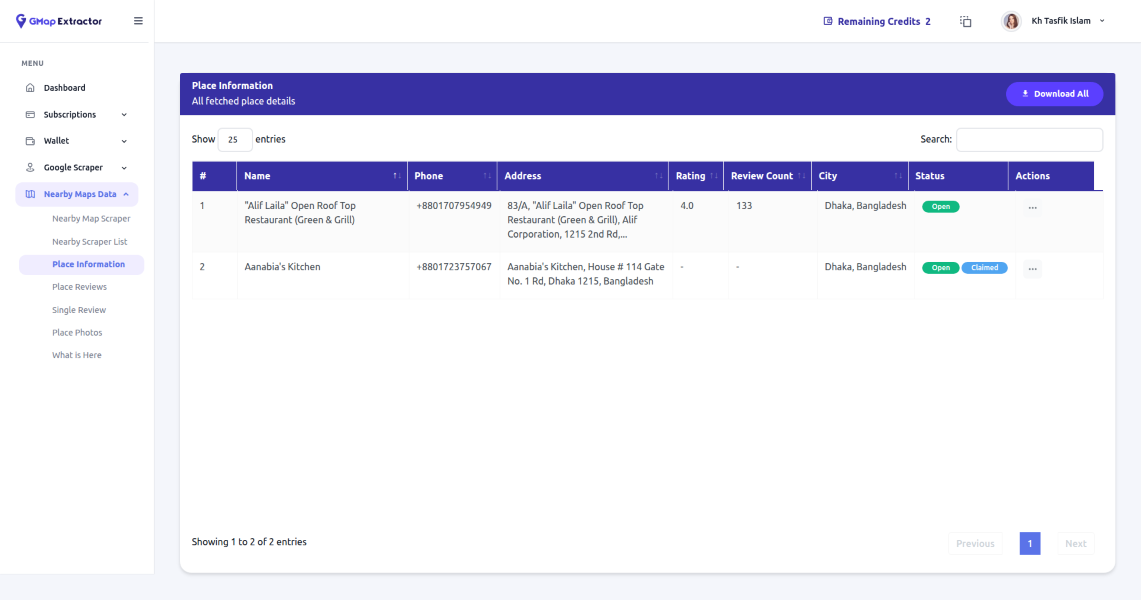
G Map Place Information
Pull rich place details for each business, including name, address, phone number, website, category, rating, coordinates, and more. Get structured, ready-to-use data you can plug into your CRM, reporting dashboards, or outreach workflows without tedious manual copy-paste.
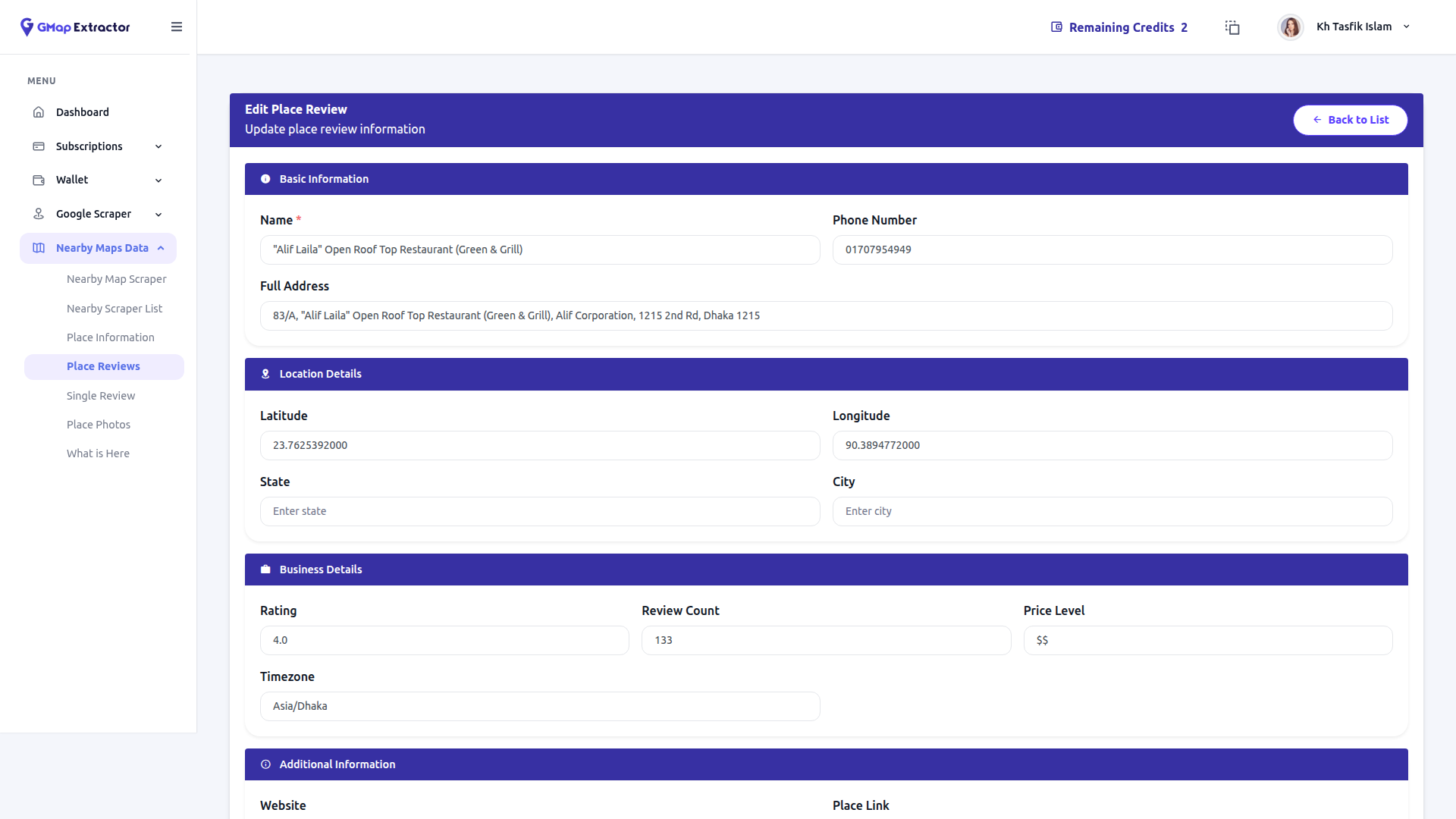
G Map Place Review
Extract full review streams for any Google Maps place to understand customer sentiment, recurring issues, and what people love most. Use this data for competitor analysis, reputation research, and building strong insights for clients or your own local SEO strategy.
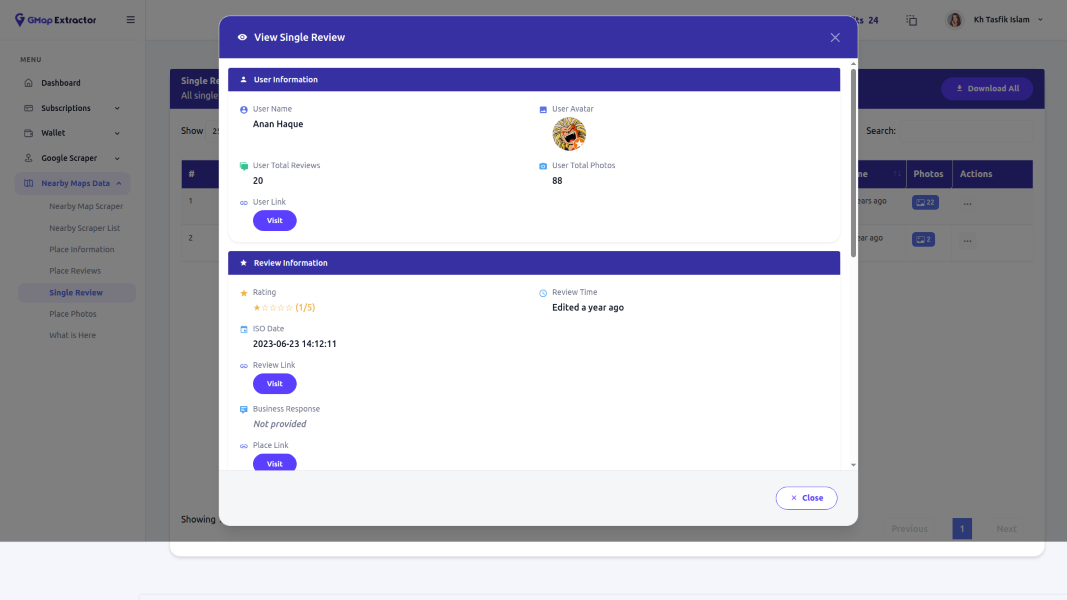
G Map Individual Review
Drill down into individual reviews with reviewer name, rating, date, and detailed feedback. Great for creating testimonial swipe files, identifying service gaps, spotting review patterns, or preparing audit reports that highlight exactly what customers say about a location.
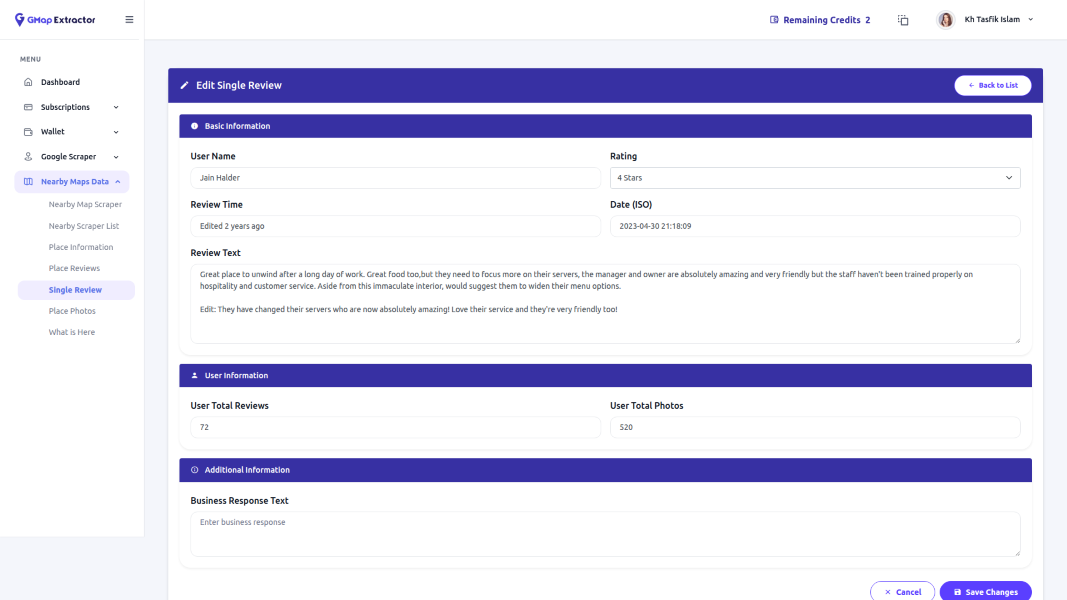
G Map Single Review
Need to highlight one key review for a client pitch or case study? Extract a single, specific review from a Google Maps listing and keep all original details intact, making it easy to showcase real customer feedback in your presentations or performance reports.
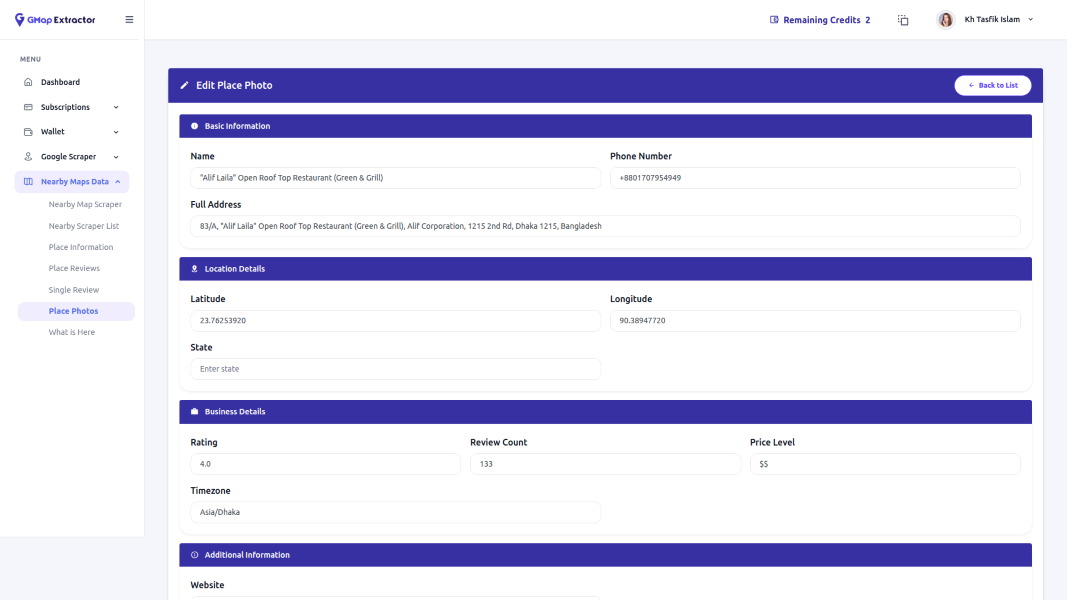
G Map Place Photo
Collect official place photos from Google Maps listings to better visualize a business before outreach. Use these images for internal research, creative briefs, or decks where you need a quick visual understanding of storefronts, interiors, branding, and overall appearance.
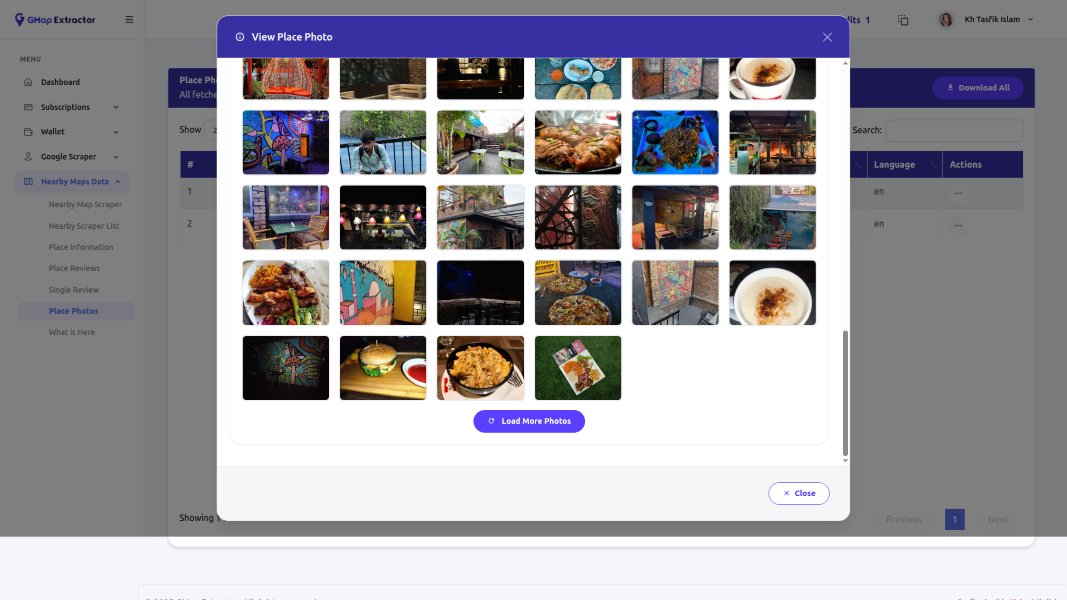
G Map More Photos
Go beyond the main gallery and extract more photos uploaded by customers and the business itself. Analyze real-world visuals, user-generated content, and ambiance to understand brand perception, foot traffic, or quality standards across different locations within the same niche.
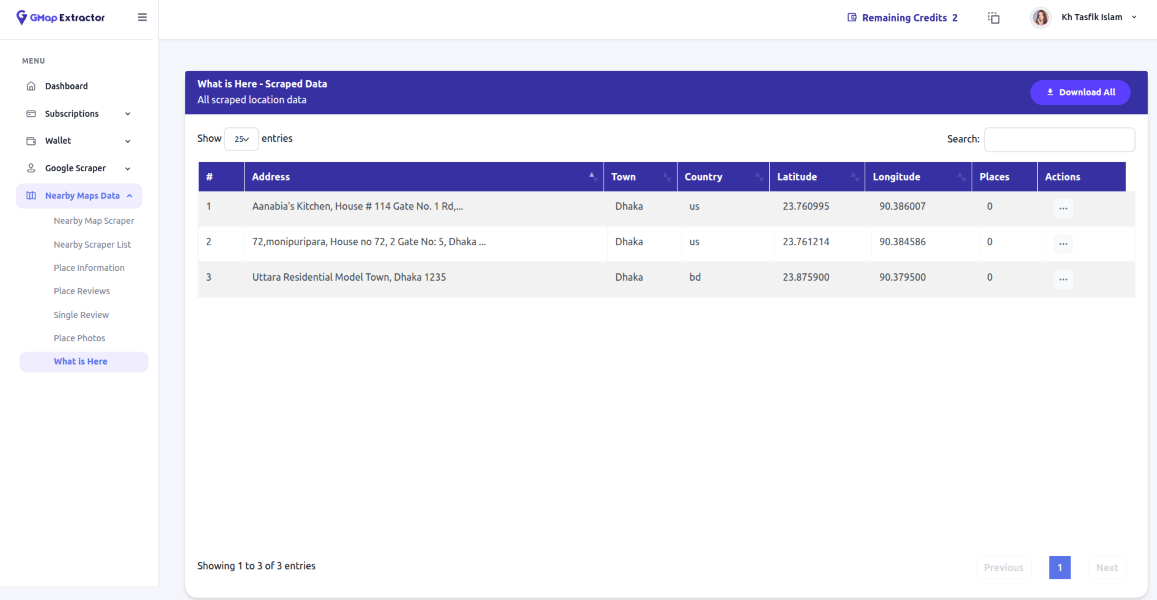
G Map What Is Here
Use “What Is Here” data to capture coordinates-based information from any point on the map, even without a visible business listing. Ideal for mapping territories, planning expansion zones, validating locations, or combining with other datasets for deeper geospatial analysis.
The data points you can extract
Every extraction gives you consistent, ready-to-use fields from Google Maps listings.
Field availability may vary based on what's visible in Google Maps listing.
From search to spreadsheet
G Map Extractor is built around a straightforward workflow so anyone can run extractions.
Search on Google Maps
Define your niche – for example 'dentists in New York', 'restaurants in Dhaka', or 'car dealers in London'.
Run extraction
Paste in search URL or configure your query inside the tool and start the extraction process.
Review and filter
Check the extracted list, remove unwanted rows, and apply simple filters if needed.
Export to CSV/Excel
Download your finalized list and import it into your CRM, outreach tool, or analytics workflow.
Built for real-world use cases
Different teams use G Map Extractor in different ways. Here's how features fit into their workflows.
For Lead Generation & Sales Teams
Transform Google Maps into your most powerful lead generation tool. Build targeted prospect lists and accelerate your sales pipeline with data-driven insights.
- Targeted Prospect Lists - Build highly targeted lists by city, niche, rating, or any combination of filters to focus on your ideal customers.
- Complete Contact Details - Export phone numbers, websites, and addresses to reach prospects through multiple channels with consistent, verified information.
- Quality-Based Prioritization - Prioritize leads based on ratings, review counts, and other quality indicators to focus your efforts on most promising prospects.
For Local SEO & Marketing Agencies
Gain competitive intelligence and deliver superior results for your clients with comprehensive local market data extracted directly from Google Maps.
- Competitor Analysis - Extract complete competitor lists for any local market to analyze their strengths, weaknesses, and market positioning.
- Review & Rating Insights - Analyze customer sentiment and identify opportunities to improve your clients' online reputation and local search rankings.
- Citation Building - Build comprehensive citation and outreach lists to improve local search visibility and drive more qualified traffic to your clients.
For Data & Product Teams
Enrich your datasets and power location-based features with reliable, structured business data extracted directly from Google Maps.
- Fresh Business Data - Feed your internal tools and databases with regularly updated business information to maintain data accuracy and relevance.
- Dataset Enrichment - Enhance existing datasets with valuable Google Maps information including ratings, reviews, and precise location data.
- Geo-Based Features - Test and launch new location-based features or products with confidence using comprehensive business data from Google Maps.
What users love about our features
Real feedback from real users
The export format is clean enough to drop straight into our CRM. We've cut hours of data prep work from our workflow.

Timothy I. Curley
Sales Manager
We no longer spend evenings copying addresses from Google Maps. What used to take our team 3-4 hours now takes less than 15 minutes.

Heidi S. Silva
Marketing Agency Owner
Even non-technical team members can run extractions now. The interface is intuitive and results are always consistent.

Henry A. Williams
Data Analyst
Frequently asked questions
Got questions? We've got answers
Start using G Map Extractor features today
Try the tool and see how fast you can go from Google Maps search to ready-to-use business data.